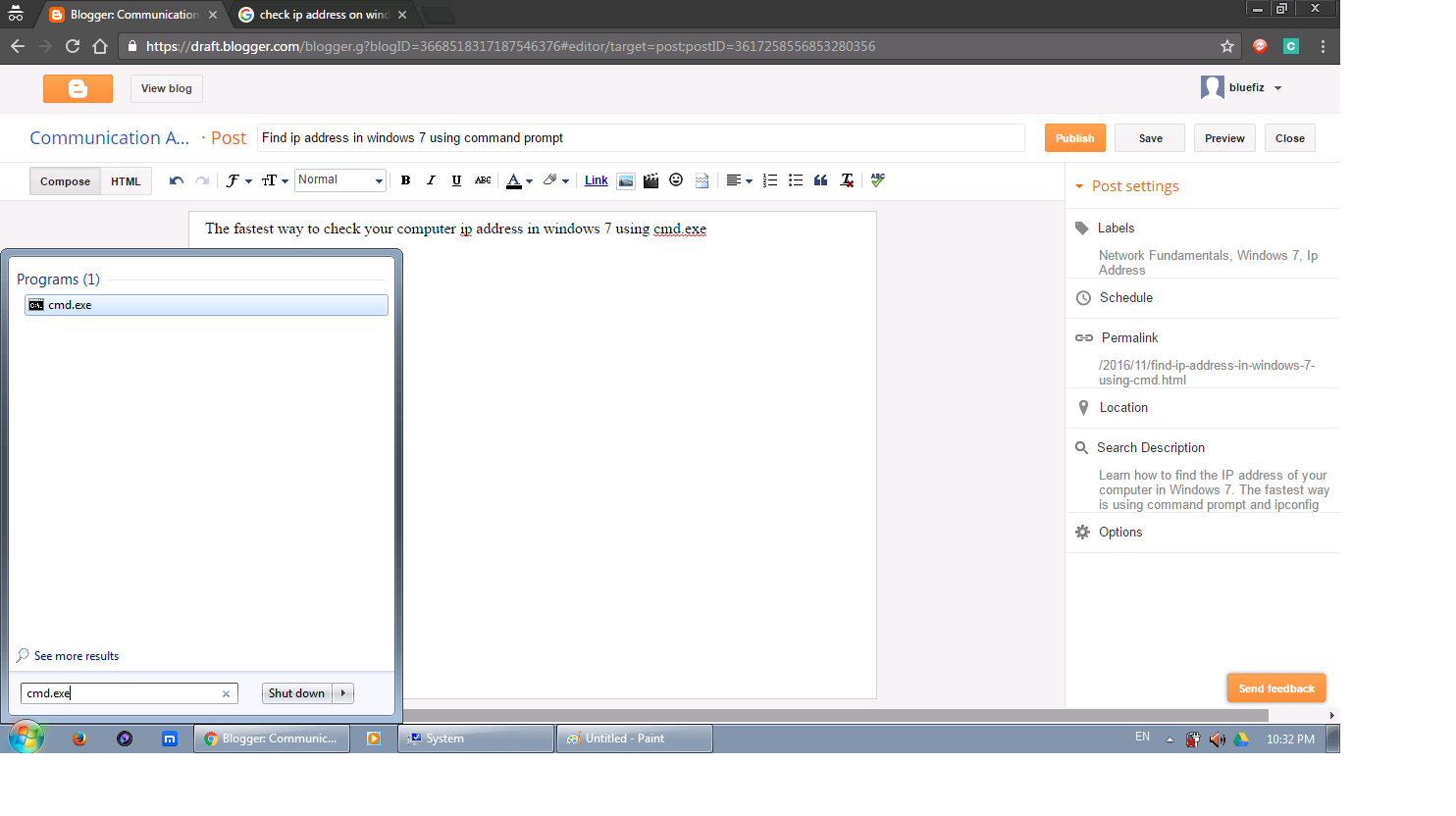
The fastest way to check your computer ip address in windows 7 using cmd.exe
At Start, search for cmd.exe. Select to run the cmd.exe
Type ipconfig in the cmd.exe. Then press enter.
You may see some result shown in the command prompt. Search for wireless if you are currently connected to wireless network, else look for local area network Ethernet adapter
Congratulations. The IPv4 as shown is the computer local area network ip address. And this is the easiest and fastest way to find ip address in windows 7 using command ipconfig.
Labels
CCNA
(30)
CCNA 1 Exploration 4.0
(15)
CCNA 2 Exploration4.0
(13)
CCNA Exploration 4.0 ESwitching
(7)
CCNA Exploration 4.0 EWAN
(11)
CCNA Final
(7)
CCNA answer
(3)
Cisco
(5)
Hack Stuff
(6)
Network Fundamentals
(4)
Networking
(8)
Tutorial Answer
(5)
UTAR
(6)
search for ccna answer
Showing posts with label Ip Address. Show all posts
Saturday, November 5, 2016
Subscribe to:
Posts (Atom)


